Hi,
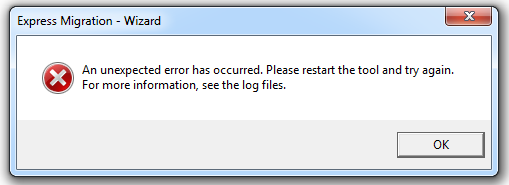
The first time I opened the Express migration Tool, an error was displayed, later I found an issue on the logs
This error basically made the tool loads with some missing components on the application, And the tool does not work right
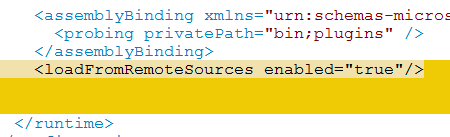
To fix that, open the file “Sitecore.ExpressMigration.exe.config” and locate at the end of the file the tag </assemblyBinding>
Add the following line
<loadFromRemoteSources enabled=”true”>
ERROR Unable to perform wizard step transition. Source: <no>, Target: basic_parameters_step.
System.NotSupportedException: An attempt was made to load an assembly from a network location which would have caused the assembly to be sandboxed in previous versions of the .NET Framework. This release of the .NET Framework does not enable CAS policy by default, so this load may be dangerous. If this load is not intended to sandbox the assembly, please enable the loadFromRemoteSources switch. See http://go.microsoft.com/fwlink/?LinkId=155569 for more information

 Sitecore Tips
You must be logged in to post a comment.