Recently I was working on a Sitecore project that involved the use of the Solr Search.
Everything was done as expected, until I an improvement needed to be done , the functionality consisted in adding two additional “Order By” options on a drop-down , so not just option “Order By Date”, now the user would be able to sort be a string, which was the Order By “Page Title “.
So, Let’s review the “Order by date”
start_date: Consist of the field name on solar,
DateTime : The correct data type for this field
Example:
[IndexField("start_date")]

public DateTime StartDate { get; set; }
var query = context.GetQueryable<CustomSearchItem().Where(searchExpression).OrderBy(f=> f.StartDate);
So, no problems so far, the “order by” will work without any problems.
Now, Let’s add the PageTitle
[IndexField(“page_title”)]
public string PageTitle { get; set; }
You would perform on the exact same way, typing the solr fieldname and the correct type, which is “string” in this case, and then you will run the code and get some results
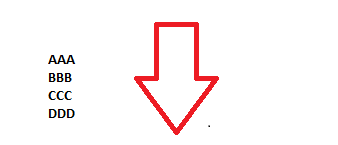
AAA
BBB
CCC
So far, so good, until you have a Page Title, that has more than two words, in this case, the order will fail and you can have some result like this
AAA
BBB
CCC
BOURBON WHISKY
It took me a while to believe that something was messing the “sort by” when you have more than two words in the same sentence. After publishing the item a few times, reindexed, double checked the code, I realized that something was wrong with Solr, and perhaps the space between the words could be affecting this.
The Solution :
I created a new computed un-tokenized ,field and remove the space between the words
[IndexField(“page_title_computed”)]
public string PageTitle { get; set; }
How to Implement that ? First add a new XML as the model below, but remove the additional // on the XML example
<//configuration xmlns:patch=”http://www.sitecore.net/xmlconfig/”>
<//sitecore>
<//contentSearch>
<//indexConfigurations>
<//defaultSolrIndexConfiguration type=”Sitecore.ContentSearch.SolrProvider.SolrIndexConfiguration, Sitecore.ContentSearch.SolrProvider”>
<//documentOptions type=”Sitecore.ContentSearch.SolrProvider.SolrDocumentBuilderOptions, Sitecore.ContentSearch.SolrProvider”>
<//fields hint=”raw:AddComputedIndexField”>
<//field fieldName=”page_title_computed” storageType=”yes” indexType=”un-tokenized” multivalued=”false”>MyProject.SOLR.ComputedFields.PageTitleComputed, MyProject.Code</field>
<///fields>
<///documentOptions>
<///defaultSolrIndexConfiguration>
<///indexConfigurations>
<///contentSearch>
<///sitecore>
<///configuration>
Second : Create the Class that will be executed when you Build your index(Sitecore Control Panel)
public class PageTitleComputed : IComputedIndexField

{
public string FieldName { get; set; }
public string ReturnType { get; set; }
public object ComputeFieldValue(IIndexable indexable)
{
Assert.ArgumentNotNull(indexable, “indexable”);
try
{
Item item = indexable as SitecoreIndexableItem;
var pageTitle = “”;
if (item.Fields[BasePage.FieldNames.PageTitle] != null)
{
pageTitle = item.Fields[BasePage.FieldNames.PageTitle].Value;
}
var fixedPageTitle = pageTitle.Replace(” “,””).Trim().ToLowerInvariant();
return fixedPageTitle;
}
catch (WebException ex)
{
Log.Warn($”[PageTitled Computed Field] Failed to rebuild index {indexable.Id}: {ex.Message}”, ex,
this);
}
return null;
}
}
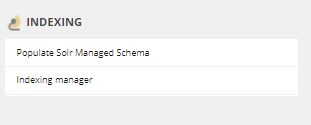
After you perform those changes, you will need to Rebuild the Index , insert a break-point on the code, to make sure that your coding is being executed, and good luck!
http://mysitecore/sitecore/client/Applications/ControlPanel.aspx?sc_bw=1
Thank You

 Sitecore Tips
You must be logged in to post a comment.