
The installation of Sitecore comerce 9 can show a tons of error, here you can find a list of some issues that I faced;
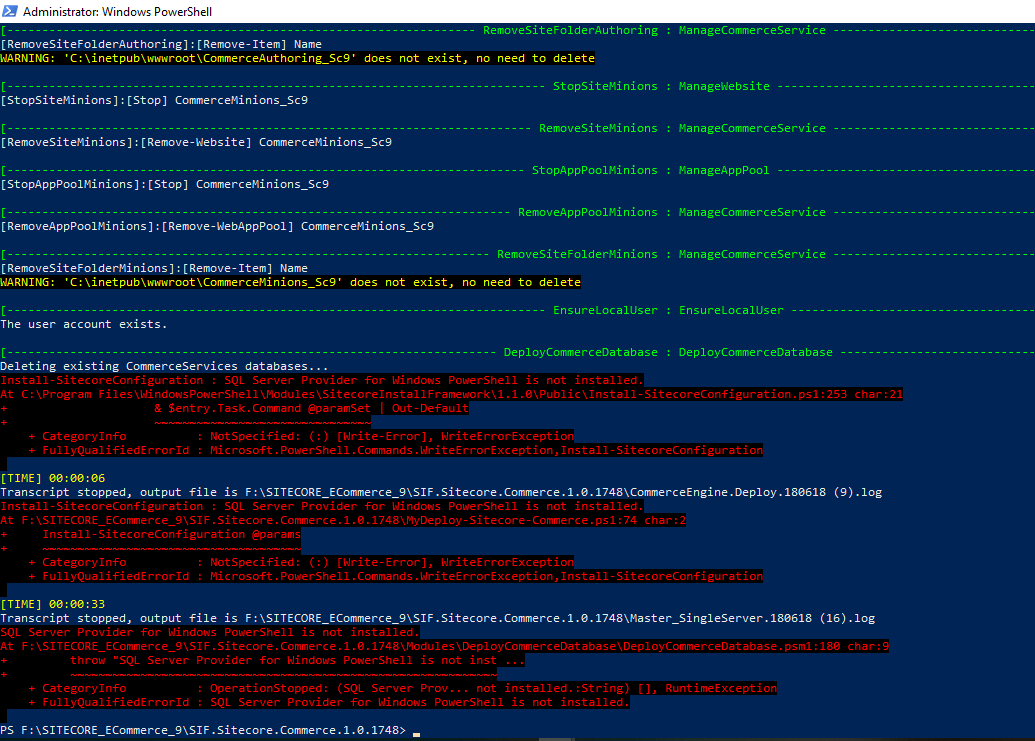
1)The error below happens when you are tring to install on SQL SERVER 2017
—– DeployCommerceDatabase : DeployCommerceDatabase ———————— Deleting existing CommerceServices databases… Install-SitecoreConfiguration : SQL Server Provider for Windows PowerShell is not installed. At F:\SITECORE_ECommerce_9\SIF.Sitecore.Commerce.1.0.1748\MyDeploy-Sitecore-Commerce.ps1:74 char:2 + Install-SitecoreConfiguration @params + ~~~~~~~~~~~~~~~~~~~~~~~~~~~~~~~~~~~~~ + CategoryInfo : NotSpecified: (:) [Write-Error], WriteErrorException + FullyQualifiedErrorId : Microsoft.PowerShell.Commands.WriteErrorException,Install-SitecoreConfiguration
Solution :
Download the file below only if you have “SQL SERVER 2017”
Overwrite this file on the installation SIF.Sitecore.Commerce.1.0.1748\Modules\DeployCommerceDatabase\DeployCommerceDatabase.psm1 Run the script to Install again and the issue will not show up
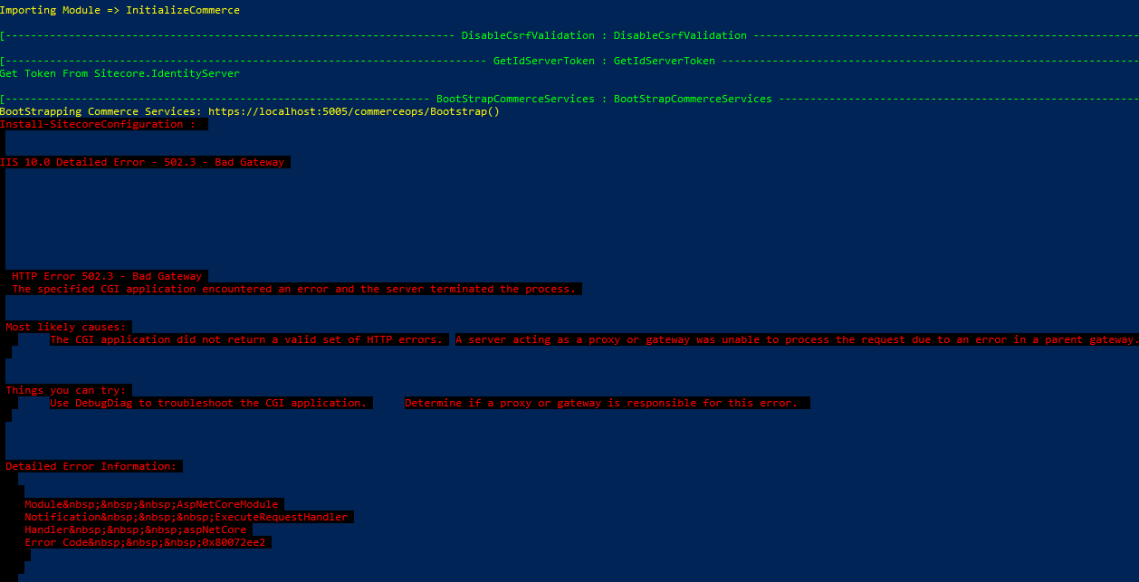
2) BootstrapCommerceServices : BootStrapCommerceServices
Boostrap Commerce services : http://localhost:5005/ecommerce/BootStrap()
HTTP ERROR 502.3 – Bad Gateway
The Specified CGI Application encountered an error and the server terminated the process
Resolution :
Open “turn windows features on or off”
Check :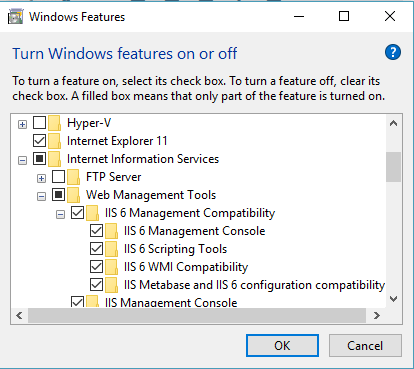
Internet Information services -> Web Management Tools -> IIS 6 Management Compatibility
->IIS 6 Management Console
->IIS 6 Scripting Tools
->IIS WMI Compatibility
->IIS Metabase and IIS 6 configuration compatibility
3)Configuring the Powershell Script
1)Where is the MergeToolFullPath ?
Probably you have on your own computer, check for the path below
MergeToolFullPath = Resolve-Path -Path “C:\Program Files (x86)\MSBuild\Microsoft\VisualStudio\v14.0\Web\Microsoft.Web.XmlTransform.dll”
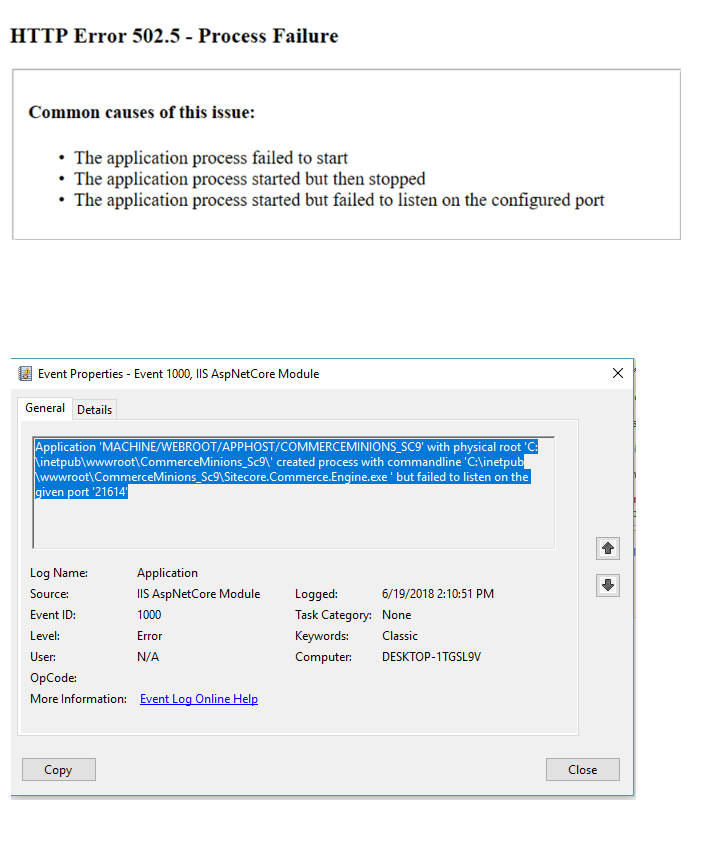
4)Fails to Start
The error below, it shows when you try to Preview the Commerce websites, and there is an error
Probable Cause : The SQL server is not properly configured on the scripts, your instance like “.\SQLSERVER” must be configured
Check this article, this shows you which files you should configure

 Sitecore Tips
You must be logged in to post a comment.