Vanity Url is also known as an alias, it’s an alternative URL that you can configure in order to access a page
Yes, you can have 2 URLs for that Page
Example: http://mywebsite/page1 , and create an alias called “Worldcup”, and this URL would be accessible by http://mywebsite/Worldcup ?
Exploring the Alias folder
The Alias Folder lives in “/sitecore/system/Aliases”
Insert a new alias
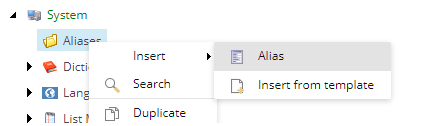
set the name of the item example: Worldcup
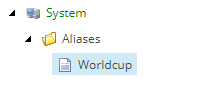
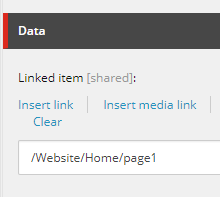
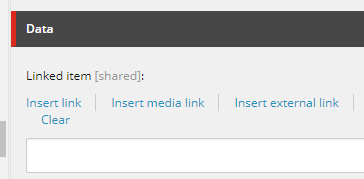
Now, Click on “Insert Link” and select the desired page that should be seen by the end user
Publish the item ! Done !
Now, hit your website http://mywebsite/Worldcup and you should see the content of Page1
Is there a button to create an alias?
Yes, there is, but in this document, I will focus on a different approach, this way gives more control for the Content Authors
What about subpages, and directories?
You can also create a subdirectory like “soccer”, in this case, the URL would be http://mywebsite/soccer/Worldcup
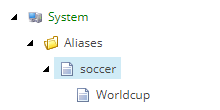
Attention: The item Soccer should not point to anyplace (even if you have a page called soccer), leave it blank
Allowing Invalid names, like “Worldcup2018.aspx”
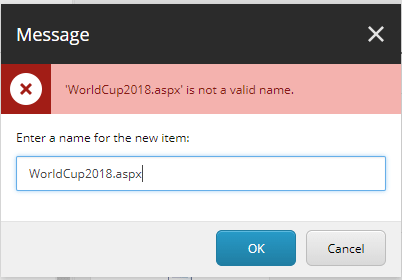
Sometimes, during a migration, we may have old valid URLs like page.aspx, but this item is an invalid name on Sitecore,
So if you try to create this item, you will see this message:
How to bypass that?
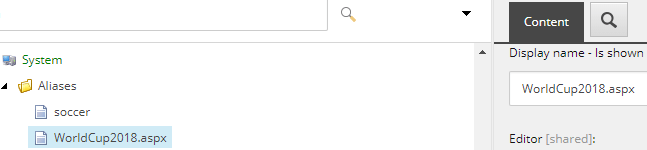
Simple, create the page with the page “WorldCup2018”, and them
set the display name as “WorldCup2018.aspx”, configure the Linked Item and
This will make your “WorldCup2018” to be accessible on Sitecore
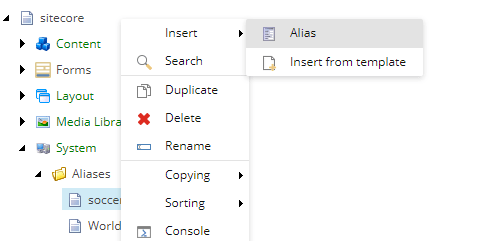
Insert option is missing
When you need to create some subdirectories, you may miss the Insert options , so you can assign the insert options to this template
Or create a rule, that will insert this
To create a rule go to
/sitecore/system/Settings/Rules/Insert Options
Create a new Rule called “Alias Insert Options”
Change to Raw Values and paste the code below

<ruleset> <rule uid=”{B02E7ACC-B567-4F5E-8CB4-AD0118B98E14}”> <conditions> <condition id=”{5DE6D53E-EA62-4D17-8BDD-FEBCD80AC07B}” uid=”FE61EAE0988D45BEB21F8394C10F8A78″ templateid=”{54BCFFB7-8F46-4948-AE74-DA5B6B5AFA86}” /> </conditions> <actions> <action id=”{918FFCF0-F9E1-4DB6-A191-3EFA5A91C583}” uid=”6BDF8A5898CD4EBFBFB10972DCF39A9C” insertoptionid=”{54BCFFB7-8F46-4948-AE74-DA5B6B5AFA86}” /> </actions> </rule></ruleset>
Uncheck Raw values
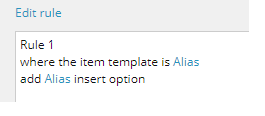
Save the item
And now the content author can easiy create the aliases for the subdirectories

 Sitecore Tips
You must be logged in to post a comment.