
Hi there!
You just installed Sitecore 9 and you are very excited to explore the new Sitecore 9.
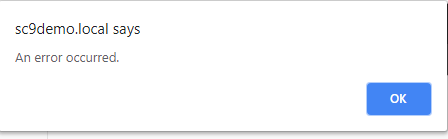
But, You don’t have any idea on how to insert a new form and when you try to insert a new form, you get this error
1) First Thing you need to do is to allow the “MVC FORM RENDERING” on the Place Holder Steps Settings
If you got the message “An error occurred” you probably already configured the “Placeholder settings”, if not , follow the step below
In order to perform that, go to :
/sitecore/layout/Placeholder Settings/main
Click Edit
Expand Renderings -> System -> Forms -> Mvc Form
Click Ok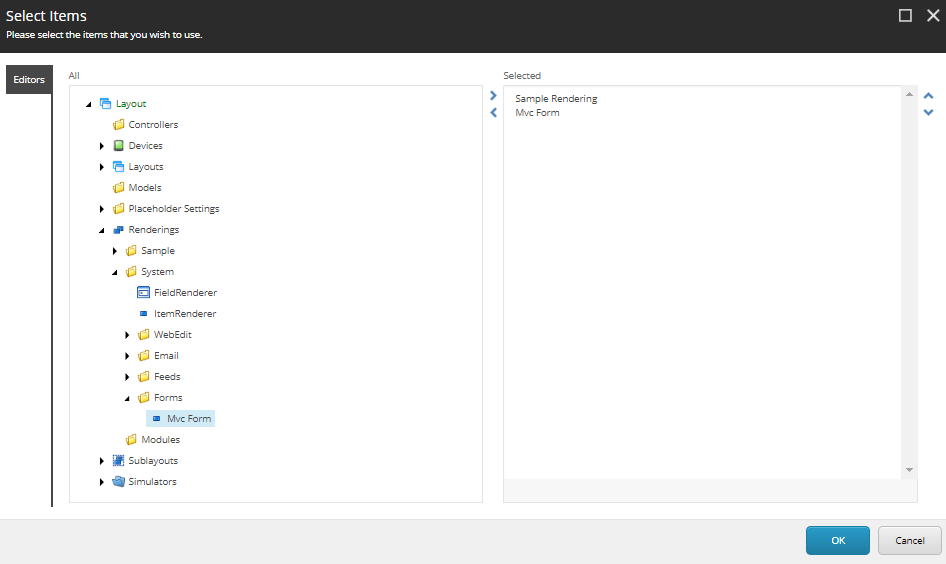
Save the Change
2) Create a new MVC FORM Layout
Unfortunately, on Sitecore 9 the “demonstration page” still a WebForms, and the “Standard Mvc Layout” is not presented
You need to create the “MVC Form Layout”,
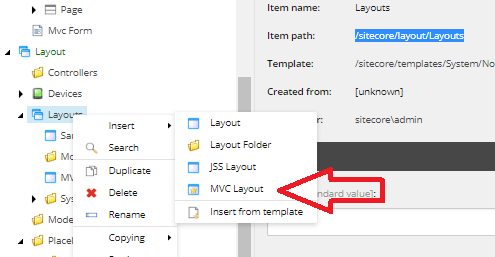
Go to Layout (/sitecore/layout/Layouts) and insert a new “MVC Layout” you can give the use the name “MVC Layout” or “Standard MVC Layout” would be my suggestion”
3) Create a new Page and Change from “Sample Layout” to “MVC Layout”
Click on the Item
on the Sitecore ribbon click
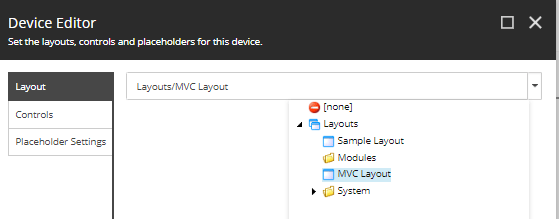
Presentation -> Details – > Edit -> “Select MVC Layout”
and click ok
4) Open the Page, insert the MVC Form
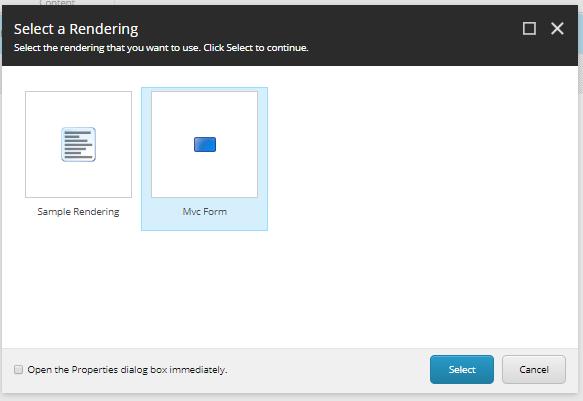
You should see your form
Additional Issues :
When you create a new form, you perhaps cannot see your form
This is a know bug already since Sitecore 9 Initial Release
Here There you can find all the explanation about the issue , but basically,
Run the re-index and this will fix

 Sitecore Tips
You must be logged in to post a comment.