
Like anyone working with Sitecore—whether on the technical side or in content—we often need to open the Experience Editor daily.
However, it consumes a lot of processing power, and if the page is large, it can take quite a while to load.
I started looking for ways to improve the loading time or identify what was causing the slowdown, and eventually, I came across this.
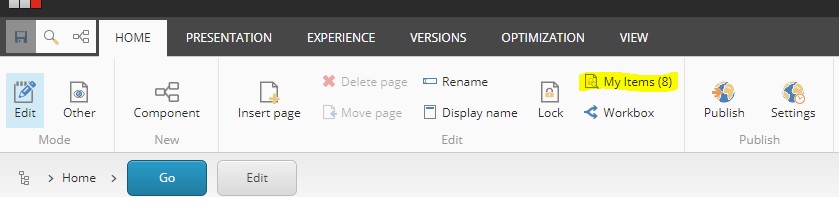
The “My Items” were taking a lifetime to load, and suddenly I thought that might be a good idea to disable it !, So, Here it goes :
1 Open the ‘App_Config/Sitecore/ExperienceEditor/Sitecore.ExperienceEditor.config’ file
2 Locate the WebEdit.ShowNumberOfLockedItemsOnButton setting
3 <setting name=”WebEdit.ShowNumberOfLockedItemsOnButton” value=”true” />
Change the “value” attribute to false
Save the file
In my case, it dramatically improved the Experience Editor
I hope it has the same effect on yours !

 Sitecore Tips
You must be logged in to post a comment.