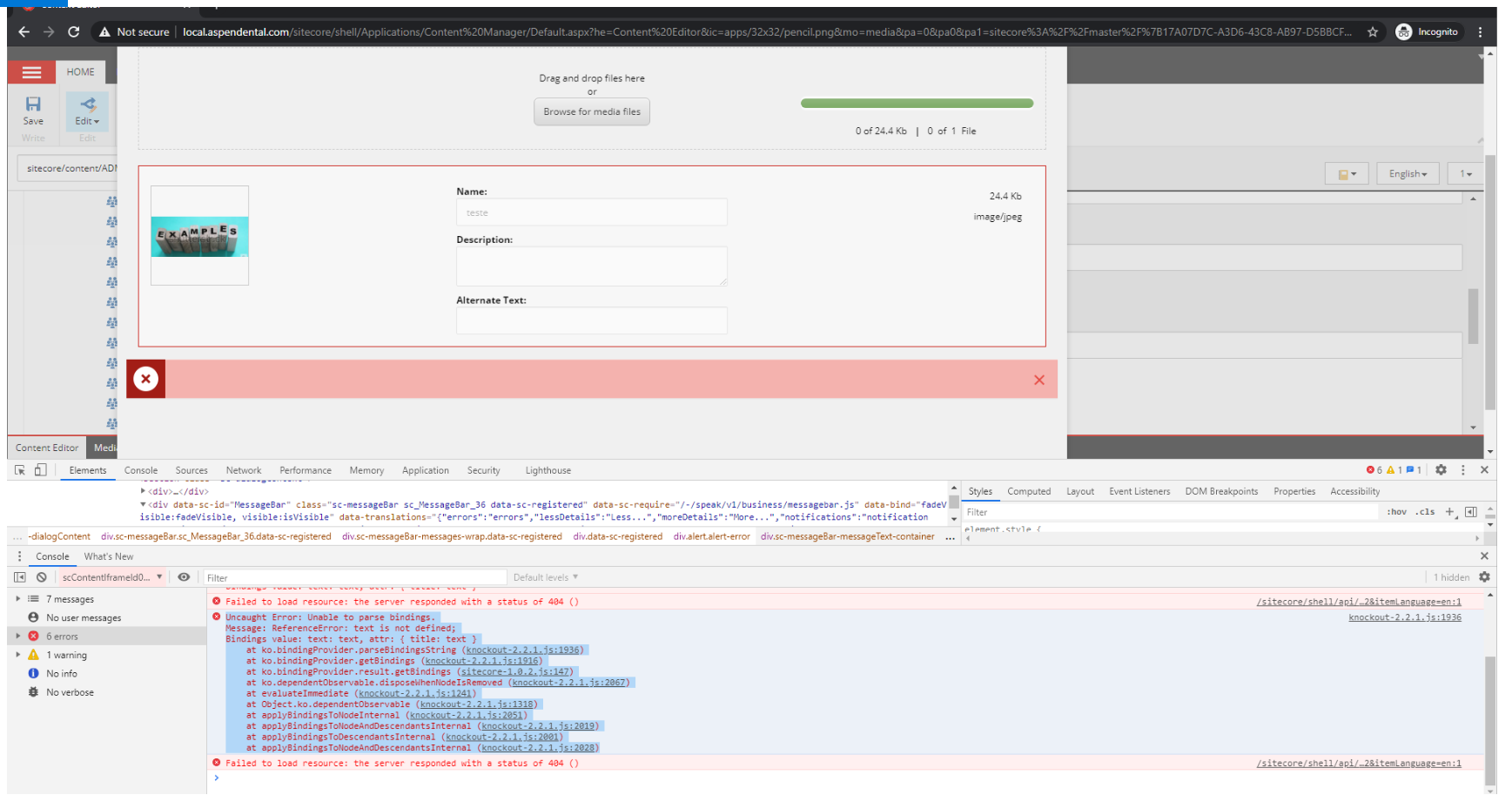
Symptom: The user tries to upload an existing image , however Sitecore shows an error without any message.
Conditions : it does not happen with ADMIN user, ONLY WITH LIMITED USERS
Permissions :
<sitecore\Client users>
<sitecore\Analytics Testing>
<sitecore\Sitecore Client Social authoring>
<sitecore\Analytics Personalization>
<sitecore\Author>
<sitecore\Sitecore Client Designing>
<sitecore\Sitecore Client Authoring>
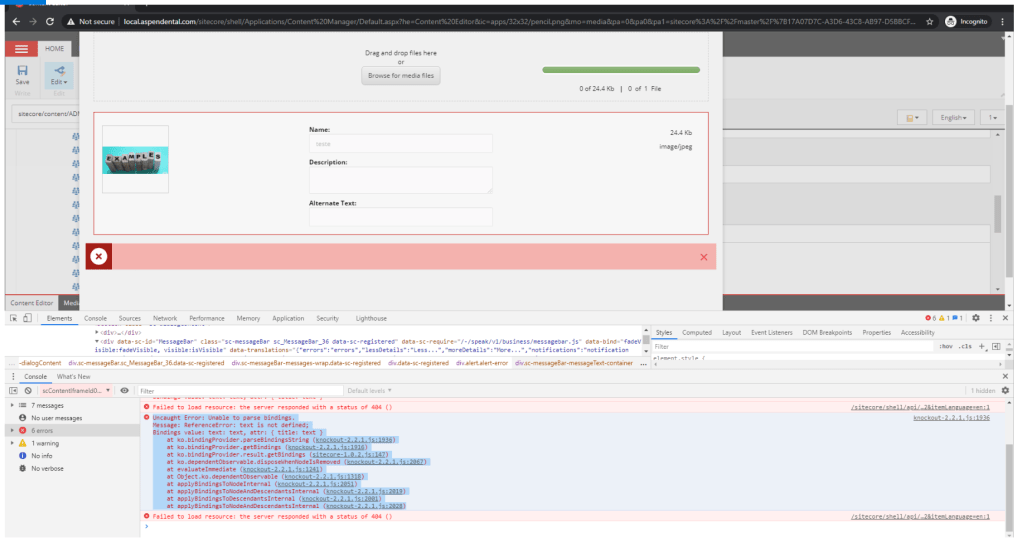
Front end issue :
Uncaught Error: Unable to parse bindings.
Message: ReferenceError: text is not defined;
Bindings value: text: text, attr: { title: text }
at ko.bindingProvider.parseBindingsString (knockout-2.2.1.js:1936)
at ko.bindingProvider.getBindings (knockout-2.2.1.js:1916)
at ko.bindingProvider.result.getBindings (sitecore-1.0.2.js:147)
at ko.dependentObservable.disposeWhenNodeIsRemoved (knockout-2.2.1.js:2067)
at evaluateImmediate (knockout-2.2.1.js:1241)
at Object.ko.dependentObservable (knockout-2.2.1.js:1318)
at applyBindingsToNodeInternal (knockout-2.2.1.js:2051)
at applyBindingsToNodeAndDescendantsInternal (knockout-2.2.1.js:2019)
at applyBindingsToDescendantsInternal (knockout-2.2.1.js:2001)
at applyBindingsToNodeAndDescendantsInternal (knockout-2.2.1.js:2028)
Sitecore log:
280 19:55:54 ERROR Could not save posted file: teste5.JPG
Exception: Sitecore.Exceptions.DuplicateItemNameException
Message: The item name “teste5” is already defined on this level.
Source: Sitecore.Kernel
at Sitecore.Data.Items.ItemUtil.AssertDuplicateItemName(Item destinationItem, Item sourceItem, String name)
at Sitecore.Data.Items.ItemUtil.AssertItemName(Item destinationItem, Item sourceItem, String name)
at Sitecore.Data.Items.Item.Add(String name, TemplateID templateID)
at Sitecore.Resources.Media.MediaCreator.CreateItem(String itemPath, String filePath, MediaCreatorOptions options)
at Sitecore.Resources.Media.MediaCreator.AttachStreamToMediaItem(Stream stream, String itemPath, String fileName, MediaCreatorOptions options)
at Sitecore.Resources.Media.MediaCreator.CreateFromStream(Stream stream, String filePath, MediaCreatorOptions options)
at Sitecore.Resources.Media.MediaUploader.UploadToDatabase(List`1 list)
at Sitecore.Resources.Media.MediaUploader.Upload()
at Sitecore.Pipelines.Upload.Save.Process(UploadArgs args)
6280 19:55:54 ERROR Exception has been thrown by the target of an invocation.
Exception: System.Reflection.TargetInvocationException
Message: Exception has been thrown by the target of an invocation.
Source: mscorlib
at System.RuntimeMethodHandle.InvokeMethod(Object target, Object[] arguments, Signature sig, Boolean constructor)
at System.Reflection.RuntimeMethodInfo.UnsafeInvokeInternal(Object obj, Object[] parameters, Object[] arguments)
at System.Reflection.RuntimeMethodInfo.Invoke(Object obj, BindingFlags invokeAttr, Binder binder, Object[] parameters, CultureInfo culture)
at Sitecore.Reflection.ReflectionUtil.InvokeMethod(MethodInfo method, Object[] parameters, Object obj)
at Sitecore.Nexus.Pipelines.NexusPipelineApi.Resume(PipelineArgs args, Pipeline pipeline)
at Sitecore.Pipelines.Pipeline.Start(PipelineArgs args, Boolean atomic)
at Sitecore.Controllers.MediaController.DoUpload(String database, String destinationUrl, Language itemLanguage)
at Sitecore.Controllers.MediaController.Upload(String database, String destinationUrl, String itemLanguage)
THE SOLUTION
In order to display the error message
- Open sitecore\shell\client\Business Component Library\Layouts\Renderings\Forms\Uploader\Uploader.js (~360 row)
- Add the following peace of code
if (errorThrown === "abort") {
that.app.trigger("upload-error", { id: data.__id });
} else {

if (!errorThrown || errorThrown.trim() === '')
{
errorThrown = jqXHR.responseJSON.errorItems[0].Message.concat(" See logs for more details.")
}

var errors = [{ Message: errorThrown }];
that.app.trigger("sc-error", errors);
that.app.trigger("upload-error", { id: data.__id, errors: errors });
}
3. Clear the browser cache
4. Patch AllowDuplicateItemNamesOnSameLevel property on Sitecore.config
<setting name=”AllowDuplicateItemNamesOnSameLevel” value=”false” /> should be changed to true
create a .config file and add the following code
<configuration xmlns:patch="http://www.sitecore.net/xmlconfig/">
  <sitecore>
    <settings>
      <setting name="AllowDuplicateItemNamesOnSameLevel">
        <patch:attribute name="value">true</patch:attribute>
      </setting>
    </settings>
  </sitecore>
</configuration>
 Sitecore Tips
You must be logged in to post a comment.