Hi
This week after a good symposium 2021, I had to touch on a subject that I didn’t for a long time “Multiple Data Source Location”. It’s a feature available in Sitecore for many versions by now and is sometimes not used available for many content authors.
1)Introduction
On a rendering, there is the field “Datasource Location, where it contains the path of the folder that will open after you added a rendering .
You have a simple RTE component, and you will set the default folder
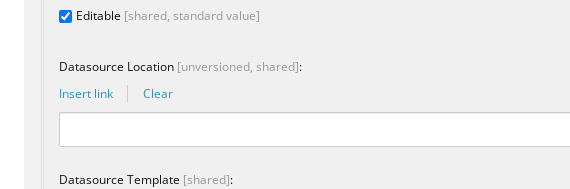
Usually , the default folder could be set like this “/sitecore/content/Mywebsite/RTE Components”
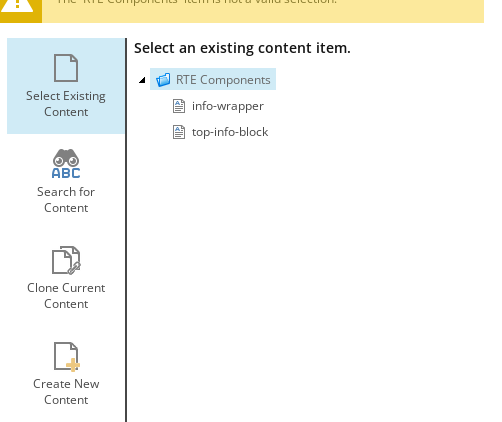
and when the user will add the component, he will see “Select the Associated Content” pop-up
2) Let’s improve this little bit
In this example, you have defined a website , fixed “Mywebsite” “/sitecore/content/Mywebsite/Global RTE Components”
So this will not work perfectly in a scenario that your Sitecore contains multiple websites , so the first option would be make this dynamic data source: ex:
query:./ancestor-or-self::*[@@templatename='Root Node' or @@templatename='Site Root']/Data/Components/RTE Components|Good, now this rendering will be better suited for multi sites , so it will select the correct folder based on the website and not fixed.
3)Multiple Data Source Location
But what if you wanna display more datasources locations? Let say the user needs to see the location website folder, plus a Global DataSource . this would give a better reusability of content , To make this happen, we basically must combine the two data sources
First, the dynamic one , plus , the Global one
<Firstone> | <SecondOne>
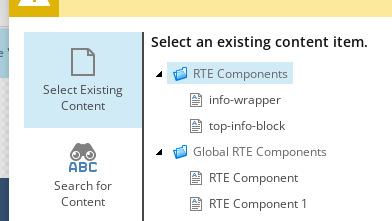
query:./ancestor-or-self::*[@@templatename='Root Node' or @@templatename='Site Root']/Data/Components/RTE Components|/sitecore/content/Global/Global RTE ComponentsI hope this tip helps your content authors

 Sitecore Tips
You must be logged in to post a comment.