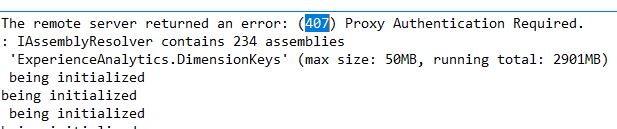
If your environment is inside a Network with there is a proxy, there is a good chance that even a local Sitecore Environment is breaking.
How to Bypass the local Proxy?
on the web.config , try the following
<!-- proxy settings to -->
  <system.net>
    <defaultProxy>
      <proxy proxyaddress="http://proxy.url.com:8080" bypassonlocal="True" />
      <bypasslist>
        <add address="(.*)\.website1\.com" />
        <add address="(.*)\.website2.net" />
        <add address="(.*)\.website3\.org" />
        <add address="(.*)\.website4\.org" />
      </bypasslist>
    </defaultProxy>
  </system.net>
XConnect
System.AggregateException: One or more errors occurred. ---> Sitecore.XConnect.XdbCollectionUnavailableException: An error occurred while sending the request. ---> System.Net.Http.HttpRequestException: An error occurred while sending the request. ---> System.Net.WebException: The remote server returned an error: (407) Proxy Authentication Required.
Ex:
Exception: System.Net.Http.HttpRequestException Message: An error occurred while sending the request. Source: mscorlib at System.Runtime.ExceptionServices.ExceptionDispatchInfo.Throw() at System.Runtime.CompilerServices.TaskAwaiter.HandleNonSuccessAndDebuggerNotification(Task task) at Microsoft.IdentityModel.Protocols.HttpDocumentRetriever.d__8.MoveNext() Nested Exception Exception: System.Net.WebException Message: The remote server returned an error: (407) Proxy Authentication Required. Source: System at System.Net.HttpWebRequest.EndGetResponse(IAsyncResult asyncResult) at System.Net.Http.HttpClientHandler.GetResponseCallback(IAsyncResult ar)
 Sitecore Tips