One of the cool features released in Sitecore Content Hub 4.0.x it’s the soft delete functionality . That means, the very fundamental feature from Windows , the “trash bin” is now available in content hub ! It’s a pretty good thing to have enabled, sometimes we eventually delete an asset, and regret it
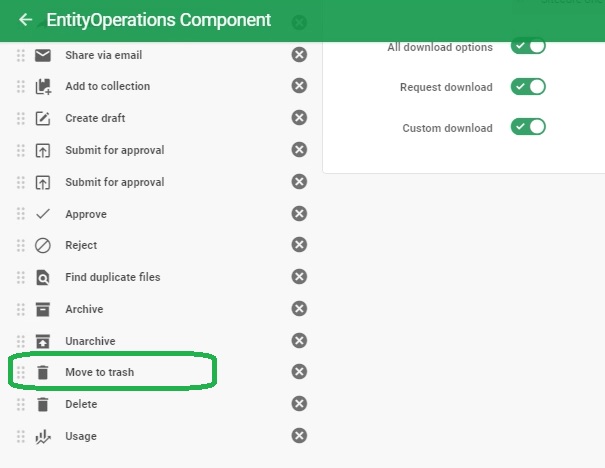
So, For that, we need to add the “Trash Button” on the menu , usually in the “Asset Detail Page ” For That
1 – Manage – > Pages – > “Asset Details Page”
2- Enable the customization for the “Entity Operations ”
3-Access the Entity Operations
Now, You will be in the Editing the “EntityOperations Component,”
Check below
| Soft deletion | In Sitecore Content Hub, users can move assets to the trash and manage assets in their trash. As opposed to hard deletion, we refer to moving assets to the trash as soft deletion. Assets in the trash are not immediately deleted. They remain in the trash for a configurable delay before the system permanently auto-deletes them. During this delay, users can restore the assets or delete them permanently. |
Official release notes
Move to Trash

 Sitecore Tips
You must be logged in to post a comment.