Setting Up User Group Policies in Sitecore Content Hub can be trick,
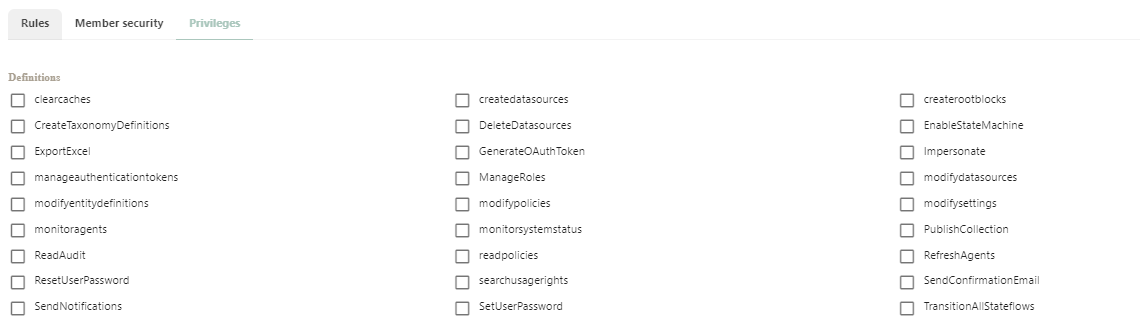
Usually the first thing we will do is to go to “User group Policies ” -> rules and use that tab to configure most of our roles
Below we will basically 3 tabs , “Rules””, “Member Security “and “Privileges”
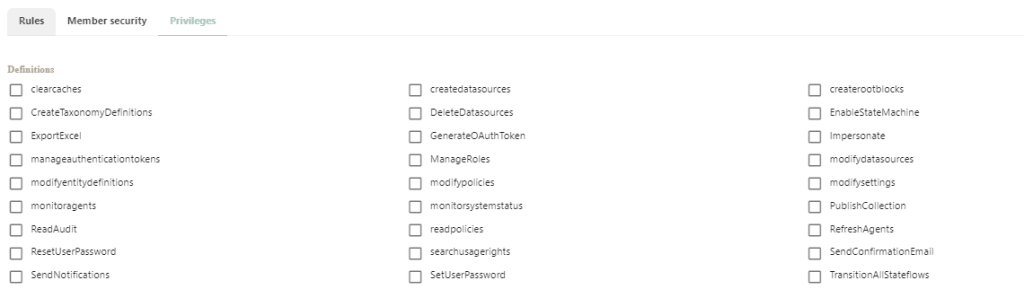
However, there are quite a few other options in the “Privileges ” tab, and this will used for some other cases , for the purpose of this demo, lets select one of those Definitions and play with it .
Let’s Explore the “PublishCollection“, by setting this one, Checked? what will change ?
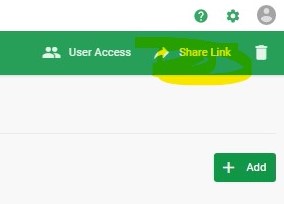
First of All, This is related to out of the box feature, “Collections-> Collection”, so this checkbox is directly attached to this functionality. our idea here is to “Add/Remove” the permission for a specific group using the “Share Link ” button.
So, Let’s say your group does not Contain the “PublishCollection” privilege on the user Group Policy, how this can be affect your group ? well, The “Share Link button won’t be visible”, so by checking this option, you will be able to see this button .
Hope you enjoyed this quick exercise !

 Sitecore Tips
You must be logged in to post a comment.