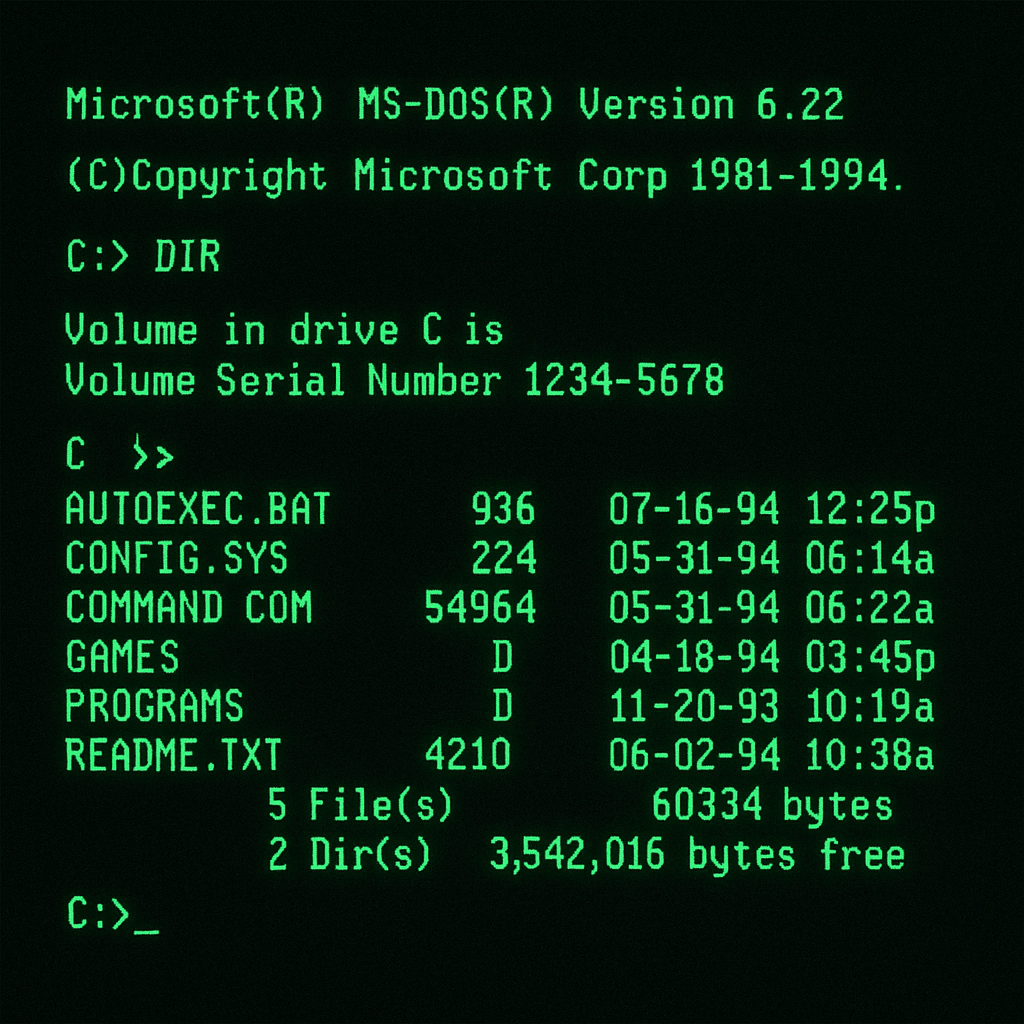
In the early days of computing, we relied on Unix or DOS and interacted with our machines entirely through the command line. Every task, whether exploring a directory, creating a document, or locating a file, required memorizing and typing often complex commands. Yet there was something magical about it: a few keystrokes could unlock an entire world of possibilities.
As software advanced, graphical interfaces emerged. The introduction of the mouse and windowed environments transformed our workflow. Instead of referencing printed command lists, we simply clicked on intuitive icons and navigated through tree-view menus to launch applications or browse files. This shift made computing more accessible, turning once-arcane commands into visual, point-and-click interactions. And that is how we extract information from the computer.
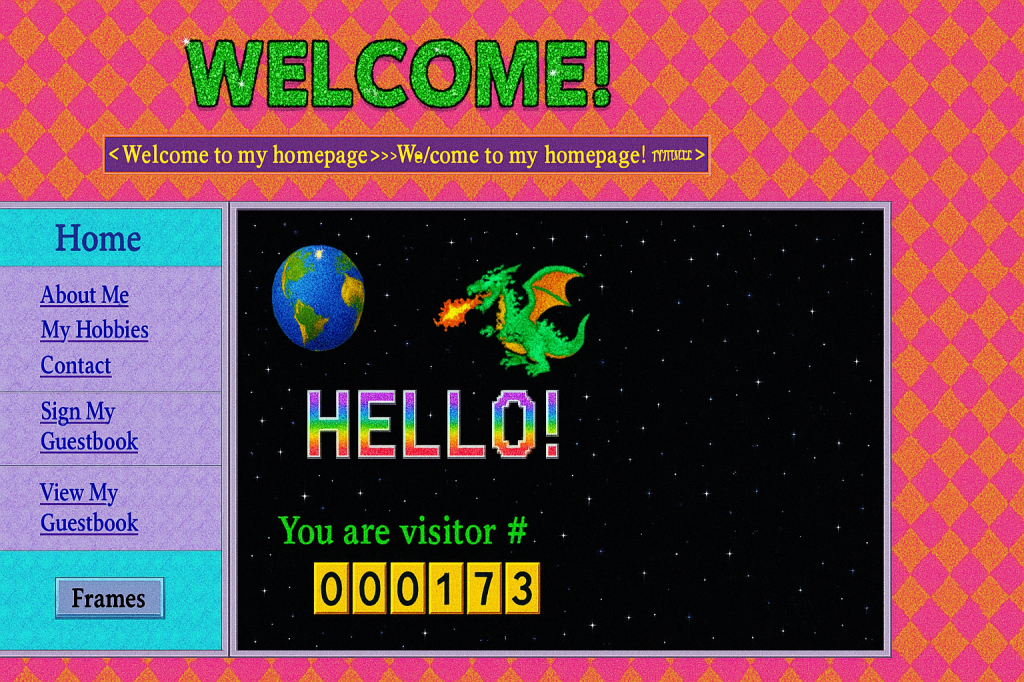
Next, the rise of the Internet shifted our focus outward. We traded local files for web pages, first bookmarking favorite sites by hand, then consulting search engines as they emerged. Overnight, anyone could publish a personal homepage: GeoCities neighborhoods sprouted up alongside academic archives, book excerpts, and sprawling online encyclopedias. Those thick, multi-disc encyclopedias were rendered obsolete almost overnight.
It’s risky for any company, no matter how large to stay the same . Take Kodak, for example: they actually invented the digital camera, shelved it internally for years, and were later driven out of the market by the very technology they’d pioneered.
Keep it in mind: “The change is the only constant.“
It’s been a while since we started heavily relying on search engines to find information. If you don’t know something, you just “Google it” and instantly get what you need. If you need to hire a contractor firm, just type it in, you’ll find one, along with a website full of content, information, and menus to guide you.
One website I’ve used a lot is my accountant’s. It’s a great site, full of menus and features. (Sure, it could be much better.) But it still gets me what I need. They also have an app, which makes things even easier.
By the way, apps used to be all the rage — every company with a website launched its own app. It’s a trend that’s still here.
Then one day, they rolled out a simple chatbot. At first, I dismissed it as too primitive to be useful. But as I became more skilled with ChatGPT and similar tools, I learned how to make better prompts. Within a few months, I stopped navigating menus entirely. Now, I simply ask the chatbot to locate files, generate reports, or perform any task I need. For me, the traditional website has become obsolete—the chatbot is the only interface I use.
These days, I see a new trend everywhere: people keep ChatGPT open on one of their monitors, and instead of turning to Google, they simply ask the chatbot to search the web, retrieve files, recommend the best restaurants, or gather any information they need. Whether typing a query or speaking into their phone, they let the LLM handle it all.

This shift is reshaping how we use the internet: websites are gradually fading into obscurity because AI can fetch information far more quickly than a person can sift through Google results and organize them.
Relying on AI rather than traditional search engines will inevitably trigger economic shifts. In fact, Google has introduced its own AI-powered search feature, which now synthesizes answers for you instead of merely listing individual web pages.
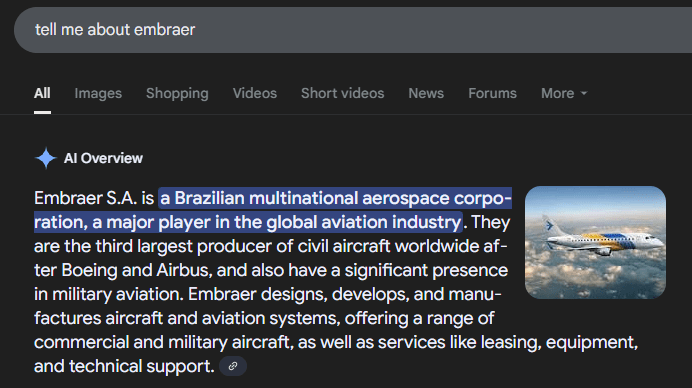
Here, I will break down several ways AI summaries threaten the traditional ad ecosystem:
- Answers replace ads
AI summaries sit at the top of search results, so users see the answer without scrolling down to the ads they’d normally click. - Fewer visitors to small sites
When AI gives direct answers, even for niche questions, people don’t click through to those specialty blogs, cutting off their regular traffic. - Lower ad earnings
With fewer pageviews, ad networks pay less. That drop in income forces publishers to look for other ways to make money, like paywalls or shifting to video and social platforms.
In essence, by extracting and presenting answers directly, AI isn’t just replacing Google’s blue links, it’s reconfiguring the entire advertising value chain that has underpinned the open web for decades.
What can I do about it?
To kick things off, let’s cover a few essential concepts in information extraction. Next, we’ll dive into how our site’s search is built : powered by Coveo, Elasticsearch, and Sitecore Search. Since these providers rely heavily on lexical search, here are some of their key characteristics:
Lexical Search
- Exact Match: Relies on finding exact matches for query terms.
- Keyword Dependency: Dependent on the specific words used in the query.
- Faster Results: Generally faster as it involves straightforward keyword matching.
- Simpler Technology: Less complex compared to semantic technologies.
- Limited Context Understanding: Does not interpret the meaning or context of the query.
- Specificity Required: Users need to know exact keywords to find relevant results.
- High Precision, Low Recall: Can miss relevant results if the exact terms are not used.
- No Synonym Handling: Fails to recognize synonyms unless explicitly programmed.
- Static Responses: Does not adapt to user behavior or query nuances.
- Suitable for Structured Searches: Best used where structured, predictable queries are common.
Lexical search, at the heart of our Coveo, Elasticsearch, and Sitecore implementations, delivers fast results by matching queries to exact keywords. Its straightforward, low-complexity technology makes it ideal for predictable. However, because it depends entirely on the specific words users type, it often misses relevant content when phrasing varies, doesn’t recognize synonyms, and can’t interpret context or adapt dynamically to user behavior. In short, lexical search shines in scenarios demanding exact, high-precision matches but struggles when deeper understanding or flexibility is required.
The Next Evolution of our Search
However, search is evolving, and the old ways are no longer what users expect. New technologies are emerging: search tools are moving from simple word‐matching to smart, AI‐powered systems because we now have so much information, and people ask more complex questions. Semantic search fixes this by using natural language processing and machine learning to understand what you really mean, handle synonyms, and learn from what you click on. For example, Coveo offers these features: it understands intent, adapts results for each user, and improves over time, so you get helpful answers, not just exact keyword matches.
Let’s review a few characteristics of :
Semantic Search
- Interprets Meaning: Understands the intent behind user queries using NLP techniques.
- Contextual Relevance: Analyzes the context of words to deliver more accurate results.
- Synonym Handling: Identifies and responds to synonyms and variations in phrasing.
- Language Understanding: Capable of processing natural language queries.
- Dynamic Responses: Adapts results based on the user’s interaction patterns.
- Broader Data Analysis: Incorporates a wide range of data from various sources to enhance understanding.
- Improved User Experience: Anticipates user needs and provides more intuitive search results.
- Technology Dependent: Heavily relies on machine learning and AI technologies.
- Continuous Learning: Evolves with new data and user interactions.
- Application in Various Fields: Useful in areas requiring deep understanding, such as healthcare, law, and customer service.
Bringing this to our website
I’ve tried semantic search with both Coveo (https://www.coveo.com/en) and Elasticsearch, and Coveo really stood out for improving search on a Sitecore site. But Coveo doesn’t stop at semantic search; it also makes it easy to build your own chatbot. If my accounting firm can do it, yours can too!
Here’s how we tie everything together for an even better experience:
- Sitecore holds all your content.
- Coveo powers fast, smart search.
- ChatGPT (or another AI model) understands and generates language.
By combining them in a Retrieval-Augmented Generation (RAG) setup, we feed your own PDFs, documents, and data into the AI. That way, when users ask a question or chat, the system pulls in your real content, rather than just general knowledge, so every answer is both smart and specific to your site.
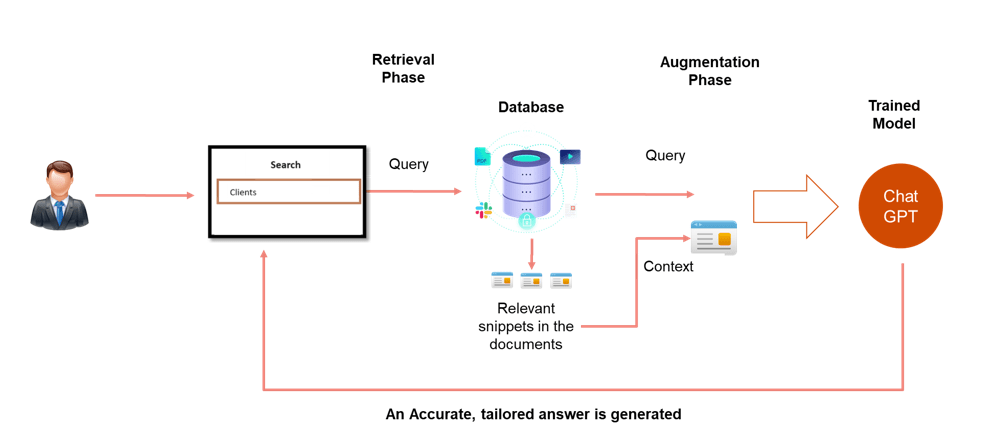
We’ll build a chat-style interface that first asks Coveo for the most relevant files (PDFs, docs, etc.). Then we take just those top results as “context” and send them to ChatGPT. This lets GPT use both its own training and your site’s content to give better answers.
But sending full files, say 40 PDFs—would be too much. Instead, we split each file into smaller “chunks” and only send the most useful chunks to the AI. Writing that chunk-selection code yourself can be hard, so we use Coveo’s Passage-Retrieval API instead.
What is the Coveo Passage-Retrieval API?
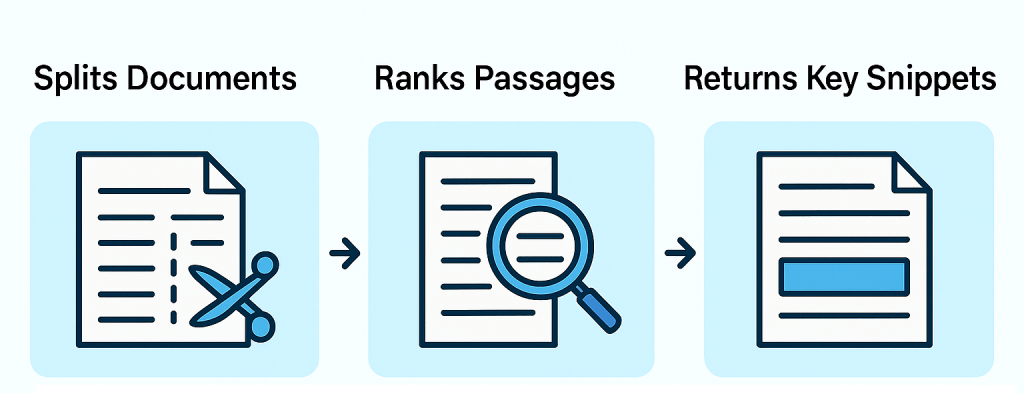
The Coveo Passage-Retrieval API is a tool that automatically breaks documents into smaller sections (“passages”) and finds the passages most relevant to a user’s question. In simple terms:
- Splits Documents: It chops up large files into bite-sized pieces.
- Ranks Passages: It figures out which pieces best match the user’s query.
- Returns Key Snippets: It gives you back just those important passages, not the whole document.
This means you don’t have to build your own code to pick out the right parts of each file, you let Coveo do the hard work so your chatbot only sends the AI what really matters.
By relaying in Coveo Passage Retrieval API it will save thousand hours of development , the product is new, but they identified a great opportunity in the market, by finding the chunks what is more important, it brings the search to the next level, and a much better way to bring context to the LLM!.
Understanding Retrieval-Augmented Generation (RAG)
A few paragraphs ago, I introduced RAG (Retrieval-Augmented Generation). In simple terms, RAG first sends your user’s question to a search service—like the Coveo Passage Retrieval API—which returns the most relevant snippets or “chunks” from your indexed documents. These snippets are then stitched into the prompt sent to the language model.
Because Coveo automatically indexes any new files you add to Sitecore, your RAG setup always has access to the latest content. By combining this real-time search step with the LLM’s generative power, you get the best of both worlds: fresh, accurate information and the model’s fluent, conversational responses.
Example :
For instance, suppose a sales rep asks, “What was XX’s total software spend last quarter, and did they renew their support contract?” No public search engine could answer that, but your RAG-enabled bot can.
Step 1: Private data retrieval
Search your private files (e.g., finance records or vector store) for the relevant snippets.
Step 2: Build the context
Combine those snippets with the original question to form a single, richer prompt.
Step 3: Send to the LLM
Pass the full context—including both the question and retrieved data—to your language model.
Step 4: Display the information
Present the model’s grounded answer back to the user.
Conclusion
In this article, I presented a few new tools and concepts that you will eventually see around. By embracing semantic search, passage retrieval, and Retrieval-Augmented Generation, you not only stay ahead of disruption but you can adapt your website to the new reality of search!
In the next article, I’ll dive deeper into techniques for building a custom Chatbot that leverages these ideas.
Change is the only constant, but with the right tools and mindset, it becomes your greatest ally.


 Sitecore Tips
You must be logged in to post a comment.